Built with Flutter and Go

Quick Download Get the latest Android and iPhone builds right away

SpotiFLAC Mobile is a high-quality music library manager for your phone.

SpotiFLAC Mobile gives you a cleaner way to build a personal library with lossless audio, fast provider fallback, and polished metadata on Android and iPhone.

  • Android 7.0+
  • iOS 14.0+
  • Lossless FLAC
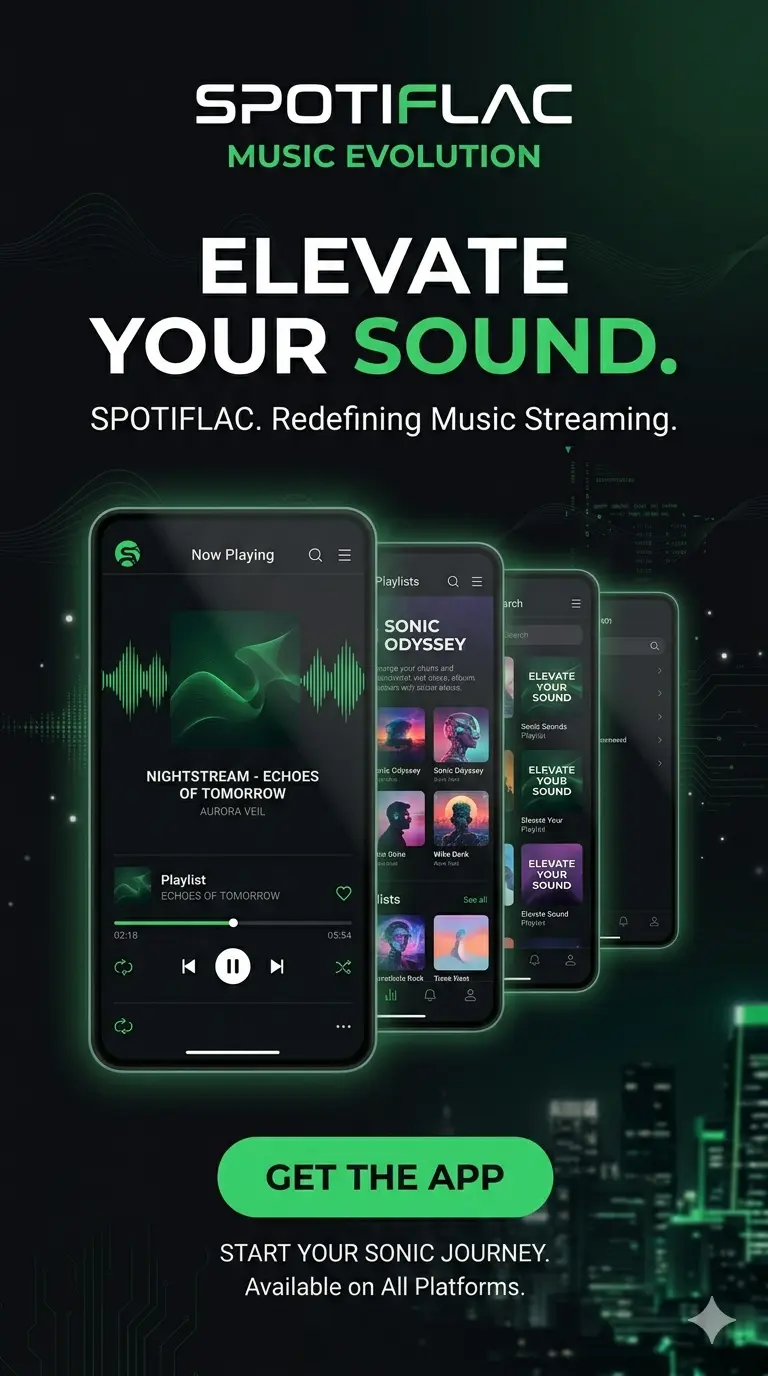
SpotiFLAC app preview showing lossless music downloader screens
True Lossless FLAC Studio-grade files with no transcoding
Multiple Providers Fallback routing across supported sources
Rich Metadata Artwork, lyrics, credits, and library polish

Home Guide

In a streaming-first world, convenience often comes at the cost of audio fidelity. SpotiFLAC Mobile is built for listeners who do not want to trade away detail, depth, and ownership just to keep their library portable.

What It Is

What is SpotiFLAC Mobile?

SpotiFLAC Mobile is an open-source music utility that focuses on giving users real control over their listening experience. Instead of leaning on compressed streaming alone, it helps you build a personal library filled with high-quality files you can keep, organize, and enjoy offline.

The app acts as a bridge between multiple music providers and your own collection. It keeps the workflow simple on mobile while still offering the flexibility that power users expect from a serious audio tool.

Audio Quality

Why lossless audio matters

Typical streaming formats shrink file size by cutting detail out of the original recording. FLAC keeps the source intact, which is why better headphones and speakers reveal a clear difference.

  • Clearer vocals and stronger instrument separation
  • Deeper bass and more natural dynamics
  • Better listening on quality headphones or speakers
  • Playback that feels closer to the original master

Why It Stands Out

Built around flexibility, not lock-in

SpotiFLAC Mobile supports multiple providers through extensions, so the experience is not tied to a single service. If one source cannot find a track, the app can move on to another compatible provider automatically.

That fallback behavior is one of the reasons the app feels more resilient than a basic downloader or a closed streaming client.

Key Features

Everything included in the mobile workflow

True lossless FLAC downloads

Download tracks in genuine FLAC quality, with support for high-resolution files up to 24-bit/192kHz where available.

Multiple music providers

Pull from Tidal, Qobuz, Deezer, and other sources through a modular extension system.

Extension-based ecosystem

Install community-built additions from the in-app store to unlock new sources, tools, and workflows.

Smart search

Paste supported platform links or search directly by track, album, and artist name with minimal manual cleanup.

Batch and playlist downloads

Queue albums, playlists, and multiple tracks at once while the app handles concurrent downloads efficiently.

Rich metadata integration

Keep artwork, lyrics, label data, genre, and copyright details embedded directly into the FLAC file.

Features

Everything you need to build a high-quality music library.

This is the fast-scan version of the product story: lossless files, multiple providers, flexible extensions, and a mobile-first workflow that stays organized while you download.

FL

True Lossless FLAC

Download in up to 24-bit/192kHz quality with no unnecessary transcoding and no compromise in fidelity.

MP

Multiple Providers

Jump across supported services automatically when one source is missing a release or restricted in your region.

EX

Extensions

Expand the app with community extensions and keep the ecosystem adaptable as providers and tools change over time.

SR

Search by Link or Name

Search by title, artist, album, or direct streaming URL from supported platforms without hopping between apps.

BQ

Batch Queue

Download full playlists and albums in bulk, with queue control that stays stable even as libraries grow.

MD

Metadata First

Keep your collection polished with embedded lyrics, cover art, label details, credits, and cleaner browsing.

Getting Started

How to use SpotiFLAC Mobile

The setup is beginner-friendly once you know the order: install, grant storage access, add the right extensions, and then start building your library.

01

Install the app

Download the Android APK or iOS IPA, then verify that your device meets the minimum platform requirements.

02

Set up permissions

Grant storage access so the app can save FLAC files locally, write metadata, and manage album artwork correctly.

03

Install extensions

Open the built-in extension store and add the providers you want to use for search, download, and metadata enrichment.

04

Search or paste a link

Use the smart search field to match tracks by name or drop in a streaming link from Spotify, Tidal, Qobuz, or Deezer.

05

Download in your preferred quality

Choose the best available format and start single track, album, or playlist downloads from the queue.

06

Manage your library

Browse files on-device or open them in your favorite player after metadata and artwork have been embedded.

Advantages

Why collectors choose it over regular streaming apps

  • Full ownership of downloaded files for offline listening
  • Superior fidelity through lossless FLAC playback
  • No dependency on a single subscription app for access
  • Highly customizable behavior through extensions

Limitations

Things to keep in mind

  • Initial setup takes more effort than a normal streamer
  • Provider availability can change by country or service
  • Extensions and permissions add a learning curve for beginners
  • Results depend on the quality and health of third-party sources

Responsible Use

Legal and ethical use still matters

The project is best understood as a personal library utility. Users should respect copyright law, avoid unauthorized sharing, and use the app responsibly when interacting with any provider or extension.

Community

Open-source support and documentation

SpotiFLAC Mobile benefits from an active community that maintains extensions, publishes release notes, improves compatibility, and documents new setup patterns as the ecosystem evolves.

Visit the project on GitHub

Partners Preview

Behind the scenes, a lot of services make the workflow possible.

Link resolvers, lyrics databases, metadata helpers, and download engines all play a role. The full acknowledgment page groups them by what they power.

LR

Link resolution

Helpers like Odesli and IDHS connect one music URL to many catalog IDs.

LY

Lyrics and metadata

LRCLIB and related services help keep synced text and context attached.

DL

Delivery engines

Multiple back-end APIs improve redundancy for Tidal, Qobuz, Deezer, and more.

FAQ

Common questions about SpotiFLAC Mobile.

This usually means the selected provider could not find an exact match. Enabling fallback sources or searching by artist and track name usually improves results.

Not every provider carries the same master in every region. When a hi-res file is unavailable, the app can download the best version it can access.

Yes. The app supports batch queue management for albums, playlists, and mixed download sessions with concurrent tasks.

Storage access is required to save downloaded files locally and write metadata such as album art, lyrics, and tags.

The project is open source, which helps with transparency. It is still wise to install from trusted release pages and review extension sources before using them.

Regional licensing and provider availability can affect search matches and download results. Adding more provider extensions often improves coverage.

Start from the project documentation and extension templates, then define the endpoints and metadata logic your source needs before packaging it for installation.

Final Thoughts

Choose quality, keep control, and build a library that lasts.

SpotiFLAC Mobile is a strong fit for audiophiles, collectors, and anyone who wants a more personal relationship with their music library than regular streaming apps allow. It keeps the focus on sound quality, flexible downloads, and a collection that still feels personal long after the first install.